
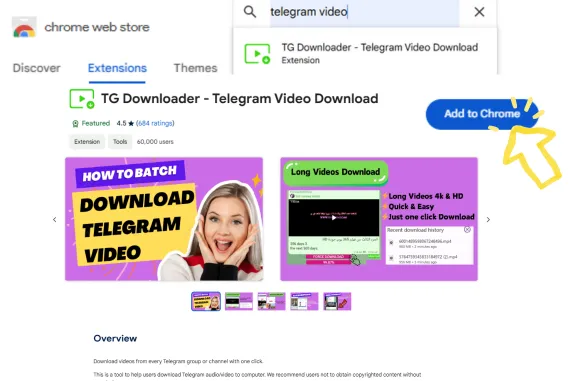
Step 1
Step 1: Install VideoTG
Add VideoTG from the Chrome Web Store and pin it to your toolbar.

VideoTG
VideoTG helps you save Telegram videos fast on Web K - with photos and audio when you need them, focused on quick single-file exports.
A focused telegram web downloader for web.telegram.org/k - save, don’t wrestle.
4 Steps
Step 1
Add VideoTG from the Chrome Web Store and pin it to your toolbar.
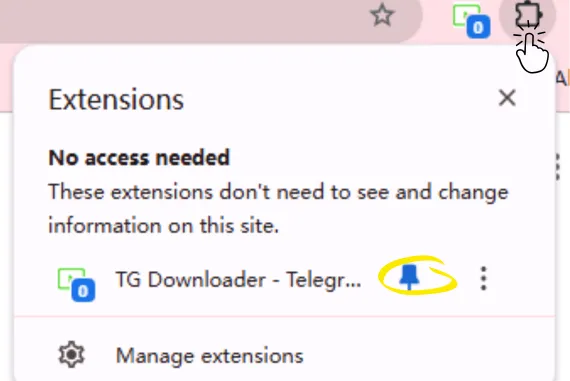
Step 2
On web.telegram.org/k, sign in and open the chat that holds the file you want to save.
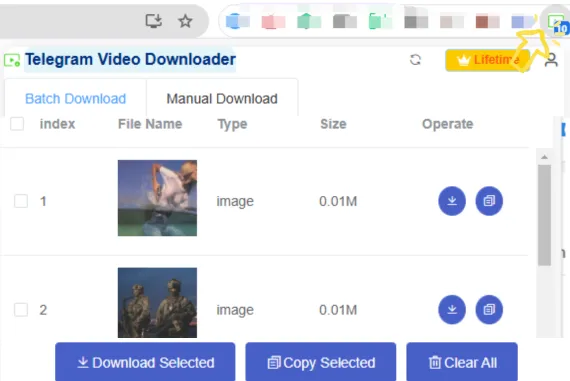
Step 3
Save buttons appear on videos first. Prefer single-file export for speed.
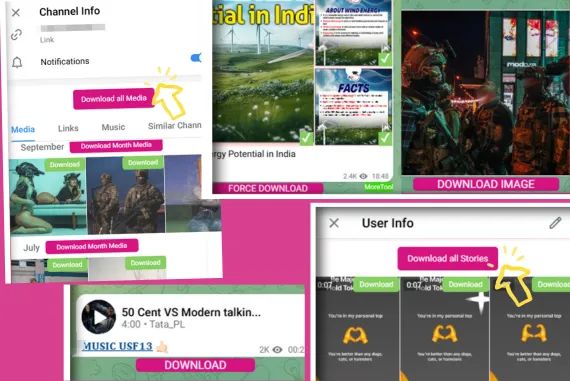
Step 4
Export locally. Upgrade when you need more daily single-file save capacity.
VideoTG is a Chrome extension to save Telegram videos fast on Web K. It also supports photos and audio, with a focus on telegram single file export.
You can install and start saving on Web K without a complex setup. Paid plans may require an account for higher quotas.
Primarily videos, plus photos and audio when Telegram Web exposes them. Formats follow what the browser can download from Web K.
Save runs on Telegram Web K in Chrome. We do not promise one-tap save inside official mobile apps.
VideoTG is built for fast single-file exports. Batch may appear when Telegram Web allows it, without changing the Save positioning.
TG Downloader
Single-file exports on web.telegram.org/k. Install VideoTG and save in one tap.